


Quick answer
What this guide helps you do
Measure your home server power usage, compare smart plugs and plug-in meters, and turn watts into realistic monthly and yearly costs.
Useful Amazon UK links
These are optional links for hardware or accessories relevant to this guide. Compare prices and specifications before buying.
The simplest option for spot checks and short measurement sessions.
Useful for longer-term tracking; confirm that the plug reports both watts and cumulative kWh.
Goal
Work out:
- how many watts your homelab actually uses
- what that means in pounds per month and per year
- whether a hardware change is worth it
- where the easiest power savings are
The practical rule is simple: measure first, then optimise.
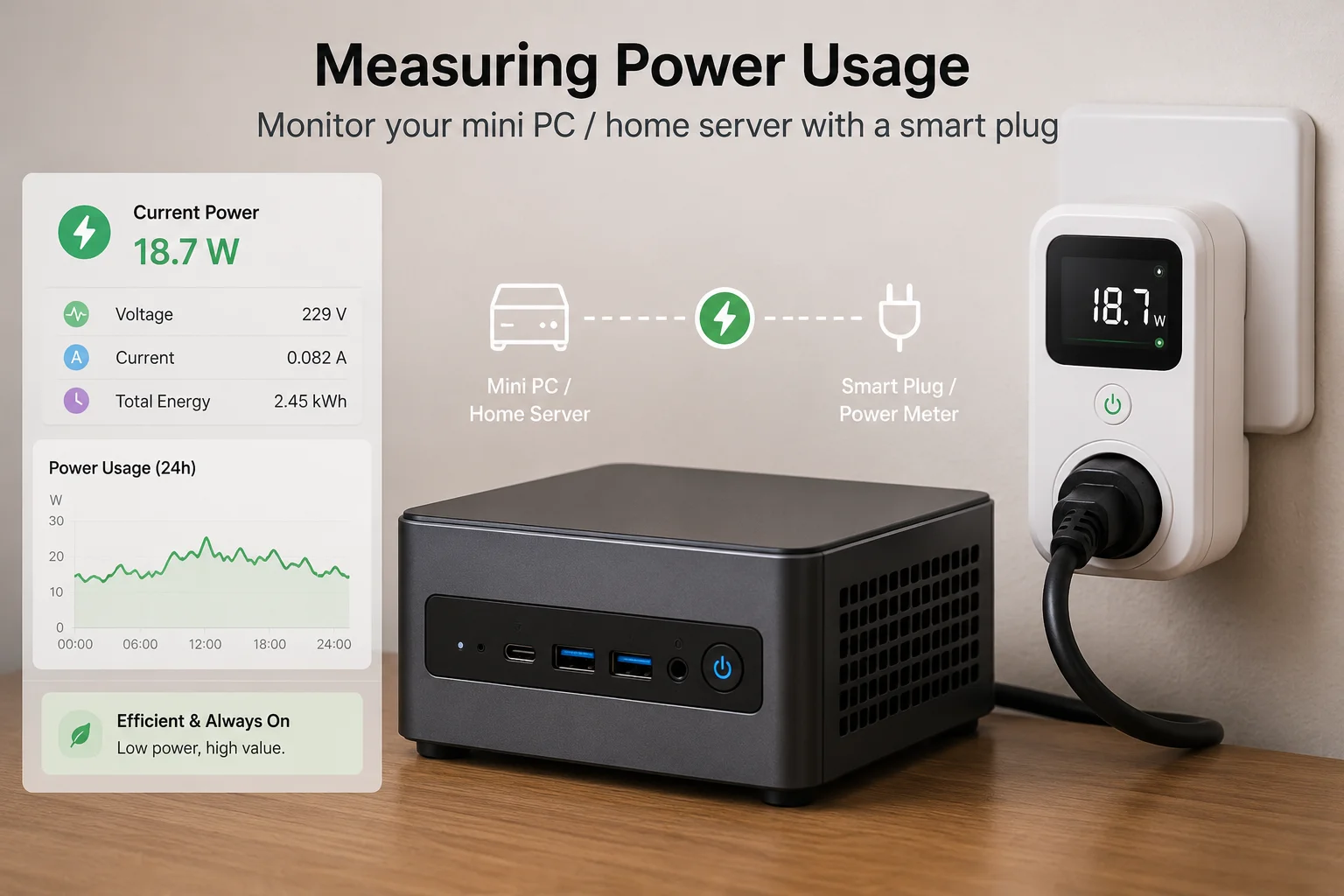
The easiest way to measure homelab power usage
Use a plug-in power meter first.
It is cheap, simple, and works with almost any server, mini PC, NAS, switch, or power strip. You plug the meter into the wall, plug the homelab device into the meter, and read the watts directly.
A smart plug can also work, but check that it reports both:
- current watts
- cumulative kWh
For a first measurement, a basic plug-in power meter is usually enough.
Smart plug vs plug-in power meter
Both are useful, but they suit different jobs.
| Option | Best for | Watch out for |
|---|---|---|
| Plug-in power meter | One-off measurements and quick checks | Usually no long-term history |
| Smart plug with energy monitoring | Long-term trends and remote checks | Some are poor at very low wattages |
| UPS with monitoring | Servers already protected by a UPS | More expensive and may include UPS overhead |
Default recommendation:
Start with a plug-in power meter. Move to a smart plug if you want long-term tracking.
What to measure
Measure three numbers:
- Idle watts — the server is on but doing very little.
- Normal-use watts — streaming, light downloads, backups, or normal household use.
- Peak watts — updates, transcoding, scans, or heavier jobs.
For running cost, idle and normal-use watts matter more than peak watts.
A server that idles at 12W but occasionally spikes to 45W is usually cheaper to run than one that idles at 70W all day.
How to calculate yearly running cost
Use this formula:
watts / 1000 × hours per day × days × price per kWhExample: a mini PC using 12W continuously.
12 / 1000 × 24 × 365 = 105.12 kWh per yearAt 25p per kWh:
105.12 × £0.25 = £26.28 per yearSo a 12W mini PC costs roughly £26 per year to run at 25p/kWh.
How to calculate monthly running cost
Example: a small home server averaging 25W.
25 / 1000 × 24 = 0.6 kWh per dayFor a 30-day month:
0.6 × 30 = 18 kWh per monthAt 30p per kWh:
18 × £0.30 = £5.40 per monthThat is the number to compare against hardware changes, extra drives, and always-on services.
How much electricity does a mini PC homelab use?
A good low-power mini PC homelab often sits somewhere around 5W to 20W at idle, depending on hardware, RAM, storage, and connected devices.
Rough examples:
| Device type | Typical idle draw |
|---|---|
| Modern mini PC | 5–20W |
| Raspberry Pi-style board | 2–8W |
| Old desktop PC | 40–80W |
| Gaming PC used as a server | 60W+ before drives |
| 3.5-inch hard drive | 3–8W each when spinning |
| SSD or NVMe drive | usually under 1–2W at idle |
These are rough ranges, not guarantees. Measure your own setup.
Where the power goes
Most always-on homelab power use comes from:
- CPU and chipset
- RAM
- 3.5-inch hard drives
- fans
- inefficient power supplies
- unnecessary GPUs
- extra switches, routers, or old test machines
For a small home server, drives can matter as much as the computer itself.
A mini PC with one SSD can be extremely efficient. The same mini PC attached to several spinning hard drives will use more power, make more noise, and create more heat.
For storage noise and placement, see Quiet Storage: Add Disks Without Turning Your Home Into a Datacentre.
Quick wins for lower idle power
Remove zombie gear
Unplug or retire:
- old routers
- unused switches
- temporary test machines
- monitors left on permanently
- USB drives that are no longer needed
Small background loads add up when they run 24/7.
Avoid leaving a gaming GPU idle
A dedicated GPU can use a surprising amount of power even when it is not doing anything useful.
For Jellyfin, direct play is usually better than solving every problem with more GPU. See Jellyfin Direct Play vs Transcoding.
Use SSDs where silence and low idle matter
SSDs are not always cheaper per terabyte, but they are quiet and efficient.
For operating systems, containers, databases, and small services, SSDs are the default choice.
Use larger hard drives where bulk storage makes sense.
HDD spin-down: useful, but do not overdo it
For bulk media drives, spin-down can reduce idle power and noise.
On Linux, hdparm can set a spin-down timer:
sudo hdparm -S 120 /dev/sdXReplace /dev/sdX with the correct drive.
Be careful. Do not guess the disk name.
Check disks first:
lsblkDo not set an aggressive spin-down timer on drives that wake constantly. Repeated spin-up and spin-down cycles can be more annoying than the power saving is worth.
Schedule heavy jobs
If your server runs heavier tasks, schedule them into predictable windows.
Examples:
- backups
- media scans
- transcoding or conversions
- scrapers
- updates
Example cron job at 02:30 every day:
30 2 * * * /usr/local/bin/nightly-backup.shThis does not always reduce total energy usage, but it keeps the server calmer during normal household use.
Compare old hardware with real numbers
Example A: old desktop idling at 65W.
65 / 1000 × 24 × 30 × £0.30 = £14.04 per monthExample B: mini PC idling at 12W.
12 / 1000 × 24 × 30 × £0.30 = £2.59 per monthDifference:
£14.04 - £2.59 = £11.45 per monthYearly difference:
£11.45 × 12 = £137.40 per yearThat does not mean everyone should replace their server immediately. It does mean an old desktop can quietly cost more than expected.
When not to chase tiny savings
Do not spend £200 to save £10 per year unless you also get another benefit, such as:
- lower noise
- less heat
- better reliability
- smaller size
- newer hardware
- simpler backups
A quiet homelab is usually a better homelab, but the numbers still need to make sense.
Simple tracking sheet
Record measurements like this:
| Device | Idle W | Normal W | Peak W | Notes |
|---|---|---|---|---|
| Mini PC | 12 | 18 | 38 | Jellyfin and Docker |
| USB HDD enclosure | 7 | 9 | 12 | One 3.5-inch drive |
| Network switch | 6 | 6 | 7 | Always on |
Then calculate cost using the normal-use number, not the peak number.
Next steps
Useful related guides:
- Mini PCs Under £200: Picking a Tiny Box That Can Actually Homelab
- Quiet Storage: Add Disks Without Turning Your Home Into a Datacentre
- Jellyfin on Ubuntu: Low-Power Setup and Folder Permissions
- Jellyfin Direct Play vs Transcoding: What Actually Matters
- Backups That Don’t Lie: 3-2-1 for Home Servers
Recap
Measure, do not guess.
Care about idle and normal-use watts more than peak watts.
A 12W mini PC can cost roughly £26 per year at 25p/kWh. An old desktop can cost several times more before it does anything useful.
If a change saves 20W to 30W all day, it is worth investigating. If it saves 1W, do it only if it also makes the setup cleaner or quieter.