


Quick answer
What this guide helps you do
Compare safe Jellyfin remote access options, including Tailscale, VPNs, reverse proxies, HTTPS, and why port forwarding should not be the default.
Jellyfin beginner path
New to Jellyfin? Follow this order.
These guides form the SmallGrid Jellyfin path: install it, fix folder access, solve empty libraries, reduce unnecessary transcoding, then choose the right mini PC.
Goal
Choose a safe way to access Jellyfin away from home.
Remote access is useful, but it is also where many home server setups become risky or overcomplicated.
This guide compares the practical options:
- Tailscale or similar private mesh VPN
- traditional VPN
- reverse proxy with HTTPS
- direct port forwarding
The SmallGrid default is private access first.
The default recommendation
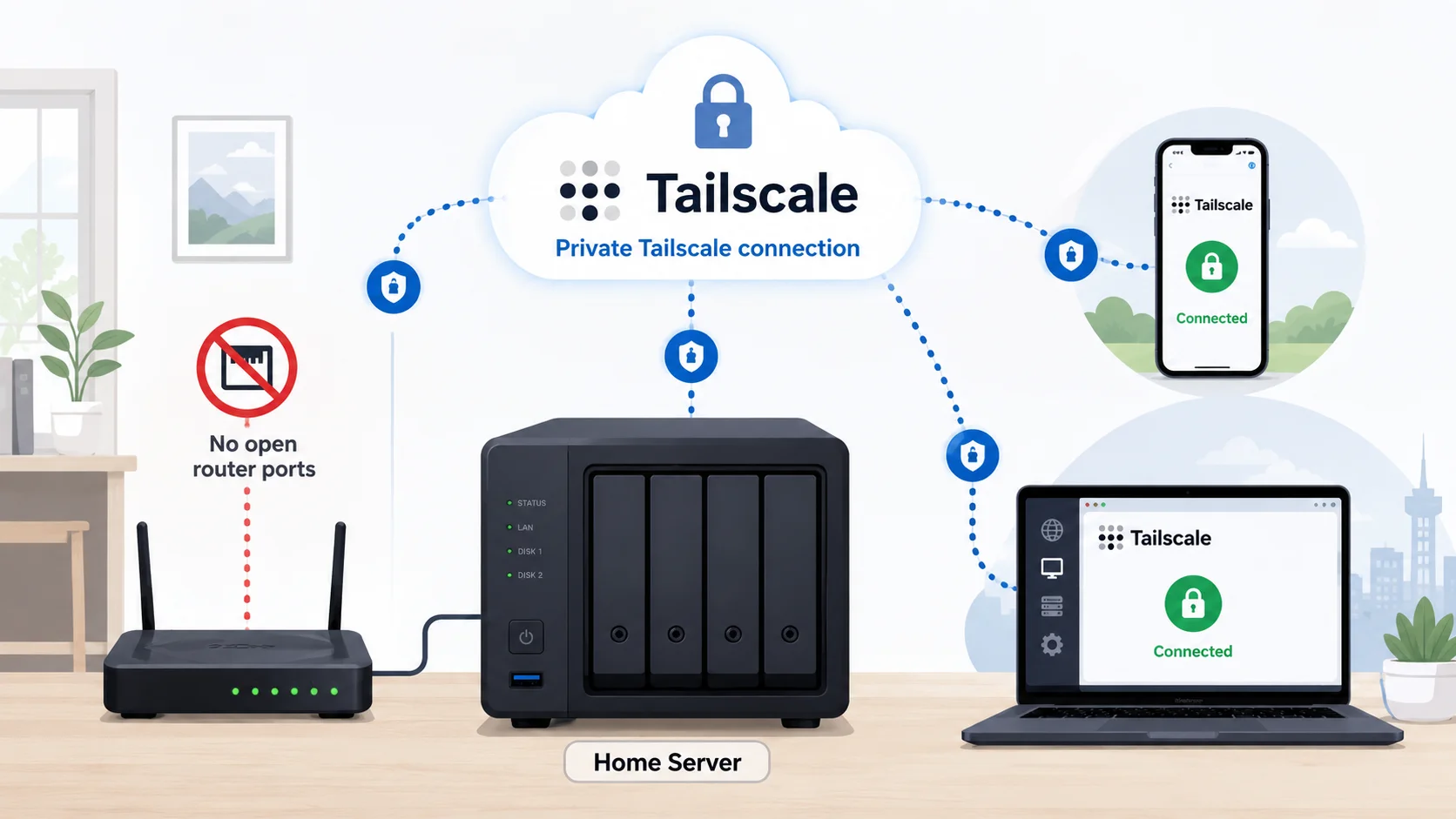
For most home Jellyfin users, use Tailscale first.
It avoids the most common beginner problems:
- no public port forwarding
- no dynamic DNS required
- no reverse proxy required on day one
- no public Jellyfin login page exposed to the internet
- simple access from your own trusted devices
If you specifically need access for many non-technical users, a reverse proxy may make sense later. But it should not be the first thing you build.
Option 1: Tailscale or private mesh VPN
Tailscale creates a private network between your own devices.
The basic flow is:
Phone or laptop → Tailscale → Jellyfin server → JellyfinGood for:
- one person or household access
- phones, laptops, and tablets
- simple private remote access
- avoiding public exposure
- small home servers
Trade-offs:
- every client device needs Tailscale installed
- less convenient for sharing with lots of people
- still depends on your home upload speed
For a step-by-step setup, use Remote Jellyfin with Tailscale: Private Access Setup.
Option 2: Traditional VPN
A traditional VPN also gives private remote access.
Examples include:
WireGuard
OpenVPN
Router-based VPN
Good for:
- users who already run a VPN server
- router-level access to the home network
- more traditional networking setups
Trade-offs:
- usually more configuration than Tailscale
- router/firewall changes may be needed
- harder for beginners to troubleshoot
A traditional VPN is a good option if you already understand the network side. For beginners, Tailscale is usually faster to get right.
Option 3: Reverse proxy with HTTPS
A reverse proxy puts Jellyfin behind something like Nginx, Caddy, or Traefik.
The basic flow is:
Internet → HTTPS reverse proxy → JellyfinGood for:
- cleaner public URL
- browser-friendly HTTPS
- sharing with users who cannot install VPN software
- more advanced self-hosting setups
Trade-offs:
- public exposure
- DNS required
- HTTPS certificates required
- reverse proxy configuration required
- security updates matter more
- mistakes are more visible
This can be a good setup, but it is not the simplest safe starting point.
Option 4: Direct port forwarding
Direct port forwarding exposes Jellyfin from your router to the internet.
The flow is:
Internet → Router port forward → Jellyfin serverThis is usually not the SmallGrid default.
Problems:
- exposes Jellyfin directly
- depends on router configuration
- often lacks a clean HTTPS setup
- easy to forget about later
- more risk if the server is not maintained
If you do not clearly understand why you need direct port forwarding, do not start there.
Remote streaming still needs upload speed
Remote access does not magically improve your home internet.
If Jellyfin buffers remotely, check:
- home upload speed
- video bitrate
- whether Jellyfin is transcoding
- client quality settings
- mobile signal or remote Wi-Fi quality
A secure connection can still be slow if the media bitrate is higher than your upload speed.
For playback behaviour, read Jellyfin Direct Play vs Transcoding: What Actually Matters.
HTTPS: when does it matter?
If Jellyfin is exposed publicly, HTTPS matters.
Jellyfin 12 note: the planned removal of Jellyfin’s built-in TLS/SSL support was postponed, so it was not removed in 12.0. Jellyfin still recommends using a reverse proxy for public HTTPS deployments, and SmallGrid continues to favour that design over treating the built-in TLS option as the long-term public-access architecture.
If you are using private access through Tailscale, the setup is different because traffic is travelling through the private Tailscale connection.
For a simple first setup:
Private remote access first
Public HTTPS later only if needed
Do not make certificates, DNS, reverse proxies, and firewall rules the first problem unless you actually need public access.
Basic safety checklist
Whichever option you choose:
- use strong Jellyfin passwords
- keep Jellyfin updated
- keep the server OS updated
- do not reuse passwords
- avoid exposing admin interfaces publicly
- back up Jellyfin config
- document how remote access works
If you expose anything publicly, the maintenance standard needs to be higher.
Which option should you choose?
| Situation | Best starting option |
|---|---|
| You only need access for yourself | Tailscale |
| You need access for household devices | Tailscale |
| You already run WireGuard | WireGuard or existing VPN |
| You need a public URL for several users | Reverse proxy with HTTPS |
| You are just testing | Tailscale |
| You are tempted to forward a port quickly | Stop and use private access first |
Next steps
Useful related guides:
- Remote Jellyfin with Tailscale: Private Access Setup
- Jellyfin Direct Play vs Transcoding: What Actually Matters
- Jellyfin Hardware Transcoding on Ubuntu
- Backups That Don’t Lie: 3-2-1 for Home Servers
Recap
For most home Jellyfin setups, Tailscale is the safest first remote access option.
Reverse proxies and public HTTPS can be useful later, but they add complexity and exposure.
Direct port forwarding should not be the default. Start private, confirm it works, then only move to public access if there is a real reason.
Next guide
What to read next
Continue the setup path with these closely related guides.
Jellyfin Remote Access with Tailscale on Ubuntu
Access Jellyfin remotely with Tailscale on Ubuntu without port forwarding, DDNS, or a public reverse proxy. Includes setup, MagicDNS, testing, and fixes.
How to Reduce Jellyfin Server Power Use on Ubuntu
Reduce Jellyfin server electricity use on Ubuntu by measuring idle and playback power, avoiding unnecessary transcoding, checking background load, storage, CPU behaviour and reboot health.
Backups That Don’t Lie: 3-2-1 for Home Servers
A simple home server backup strategy built around 3-2-1, automatic copies, offsite protection, and tested restores.
Jellyfin guide cluster
More Jellyfin fixes and setup guides
These guides link the main Jellyfin setup, permissions, remote access, direct play, and hardware topics together.
Jellyfin 12 Upgrade Guide: 10 Things to Check Before You Update
Prepare Jellyfin 10.10 or 10.11 for version 12: verify backups, plugins, Docker or Ubuntu packages, migrations, permissions, playback and rollback.
How to Reduce Jellyfin Server Power Use on Ubuntu
Reduce Jellyfin server electricity use on Ubuntu by measuring idle and playback power, avoiding unnecessary transcoding, checking background load, storage, CPU behaviour and reboot health.
Give Jellyfin Access to Media Folders on Ubuntu
Fix Jellyfin permission denied errors on Ubuntu. Test the service user, find blocked parent folders, apply safe ACLs, verify inheritance, and check mounted-drive options.
Jellyfin Library Not Showing Files? 8 Checks That Fix It
Fix a Jellyfin library that is empty or missing media. Check mounts, Linux permissions, Docker paths, library folders, naming, scans and logs in the correct order.
Jellyfin Docker Permissions: Fix Media Folder Access and UID/GID Errors
Fix Jellyfin Docker permission denied errors. Check bind mounts, container paths, UID and GID values, read-only media access, active mounts, and file visibility step by step.
Jellyfin Direct Play vs Transcoding: What Is the Difference?
Why is Jellyfin transcoding instead of Direct Playing? Compare Direct Play, Direct Stream and transcoding, CPU usage, quality and common triggers.